What Your Restaurant Website Needs to Turn Visitors Into Diners
Rajesh P
January 7, 2026 · 8 min read
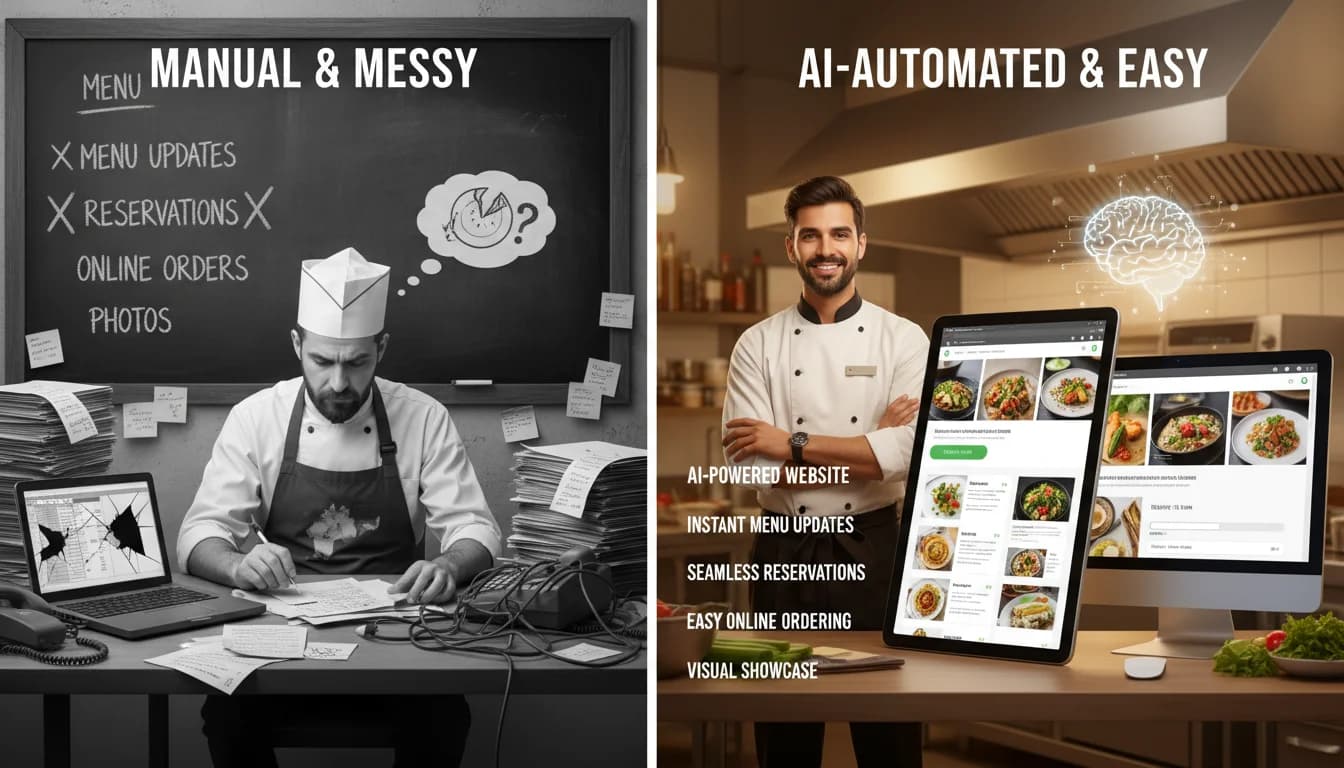
A restaurant website has exactly one job: turn someone who is curious into someone who shows up or places an order. That sounds simple, but most restaurant websites fail at it in ways that are entirely avoidable. Visitors land on the page, cannot find the menu without clicking through three layers, cannot tell what the hours are on a Sunday, and leave to find somewhere easier. They do not call to ask. They just leave.
The good news is that fixing this is not complicated. Restaurant website visitors are not looking for a cinematic experience. They are hungry, they are on their phones, and they need three things answered in the first ten seconds: what you serve, where you are, and how to get a table or order food. Everything else is decoration.
What Visitors Are Actually Looking For on a Restaurant Website
Research from Google and various restaurant industry studies tells a consistent story. The overwhelming majority of people who visit a restaurant website are looking for the menu, the location and hours, and a way to make a reservation or order online. That is the list. Reviews, the chef's biography, the story of how the restaurant was founded, the private dining inquiry form — all of that is secondary and should never come at the expense of the core three.
AI Agency Website Builder
Build it with CodePup AI. Ready in 30 minutes.
The restaurants that lose customers online have typically built their websites as brand experiences rather than utility tools. A full-screen video of pasta being plated looks impressive in an agency portfolio. But when someone is deciding between your restaurant and the one down the street at 7pm on a Friday, they need to know if you take walk-ins and what a main course costs. If they cannot answer those questions in under 30 seconds, you have already lost them.
The Menu Problem That Costs Restaurants More Than They Realize
A PDF menu is one of the most common and damaging mistakes a restaurant can make online. On a desktop computer, a PDF is merely inconvenient. On a phone, which is where more than half of restaurant website visitors are browsing, a PDF is a friction-filled dead end. It forces people to pinch, zoom, scroll sideways, and squint at text that was designed for an 8.5 by 11 sheet of paper. Most people give up before they get through the appetizers.
Menus without prices are equally damaging. Some restaurant owners leave prices off the website to avoid updating them when costs change, or because they think it signals a fine dining positioning. What it actually signals to most visitors is uncertainty, and it removes the information people need to decide whether they can afford to eat there. A menu with prices, even if it says prices are subject to change, is always better than a menu without them.
Seasonal menus and daily specials create another common failure. If your menu changes and you cannot update the website yourself without calling a developer or submitting a support ticket, the menu on your website will eventually be wrong. Customers who show up expecting a dish you no longer serve are customers who feel misled. The ability to update menu content quickly, on your own, is a functional business requirement.
A Google study found that 57% of restaurant website visitors are looking at the site on a mobile phone. If your menu is a PDF or your reservation button requires five taps to find, you are losing half your potential customers before they ever reach your phone.
Online Ordering and Reservations: The Revenue You Are Leaving on the Table
Customer expectations around digital ordering and reservations have shifted permanently. A restaurant that requires a phone call to reserve a table is creating unnecessary friction in a world where people book everything else from their phone in 60 seconds. OpenTable and Resy solve the reservation problem and are genuinely useful tools, though they do charge a per-cover fee that adds up over the course of a year.
Online ordering is a larger conversation. Third-party delivery platforms like DoorDash and Uber Eats provide distribution and visibility, but the fees are significant. Most platforms charge restaurants between 15% and 30% of every order placed through their system. On a $40 order, that is $6 to $12 going to the platform instead of to the restaurant. For a business that already operates on thin margins, those fees matter. Owning your own ordering flow, even for pickup orders, means the full margin stays with you.
What Most Restaurant Websites Get Wrong With Their Design
There is a pattern to restaurant websites that look beautiful but perform poorly, and it tends to involve a set of specific design choices that prioritize aesthetics over function. Full-screen hero videos with autoplay are the most common offender. They are slow to load on mobile connections, they push the actual content below the fold, and they do not communicate anything that a well-composed photograph could not communicate faster. A restaurant homepage that loads in two seconds will always outperform one that loads in six, regardless of how cinematic the video is.
- No address or neighborhood visible above the fold on mobile
- Hours listed only in the footer, or not listed at all
- Reservation and order buttons buried under introductory copy
- Contact forms used instead of a visible phone number or click-to-call button
- Social media links that lead to inactive or infrequently updated accounts
- A homepage gallery that loads slowly and delays the content visitors actually need
How to Keep Your Restaurant Website Current Without a Developer
A restaurant website is not a one-time project. Hours change for holidays. Menus evolve with seasons. New dishes get added. Prices go up. Staff turnover means the team page becomes outdated. If updating any of this requires filing a support ticket with a web agency or waiting for a freelancer to return your email, your website will drift further from reality with every passing month.
The ability to manage your own content through a simple admin dashboard is not a luxury feature. It is a baseline requirement for a restaurant website that stays accurate over time. The alternative is a website that undermines your business by showing customers outdated information and eroding the trust that gets people through the door.
A restaurant website that was accurate on the day it launched but has not been updated in eight months is not just useless, it is actively harmful. Customers who show up to find different hours or a discontinued dish do not give second chances easily.
How CodePup Builds a Restaurant Website That Actually Works
CodePup generates a complete restaurant website from a single prompt, including every page you need from the start: homepage with your menu, location and hours, an online ordering flow with Stripe payments built in, and a contact page that puts your phone number front and center. There is no template picking, no drag and drop assembly, and no developer required. Every build goes through automated testing before you receive it, so nothing arrives broken.
The AI catalog system manages your menu the way a content management system handles articles. You can add dishes, update prices, mark items as seasonal, and take things off the menu entirely from the admin dashboard without touching any code. When a customer places an order, they receive an automated confirmation email through the event-driven email system. When you want to see how your ordering volume has trended over the past 30 days, the analytics dashboard has that information ready. From the moment you finish your prompt to a live restaurant website that takes real orders, the window is under 30 minutes. See the ecommerce store builder for the full capability set the generated restaurant site inherits.
Frequently Asked Questions
What pages does a restaurant website absolutely need?
Five, in priority order: a homepage with location, hours, and a reservation/order CTA above the fold; a menu page in real HTML (not PDF) with prices visible; an online ordering page with a mobile-friendly cart and Stripe checkout; a reservations page (or a linked OpenTable/Resy widget); and an about/contact page with phone number and click-to-call. Everything else — private dining, press, chef bio — is optional and should never push the core five below the fold.
Should I use DoorDash/Uber Eats or my own online ordering?
Use both. Third-party platforms bring discovery — people search for food inside DoorDash directly. Your own ordering protects margin — 100% of order revenue minus Stripe fees (~2.9%+30¢) stays with you, versus 15–30% on third-party. The right mix is usually: be on DoorDash/Uber Eats for new-customer acquisition, but drive repeat customers to your own site with a loyalty or promo incentive. The savings on repeat orders pay for the site many times over.
How often should I update a restaurant website?
Menu and prices: within 24 hours of any change. Hours: immediately for holiday or special closures. Photography: refresh the top 6 hero images every 6–12 months so the site matches the current plating and season. Design overhaul: rare — once every 3–4 years is plenty. The single highest-ROI change most restaurants can make is getting real-time menu updates off a PDF and onto a CMS-managed page.
Do I need Google Business Profile integration?
Yes — but that's a profile you maintain on Google directly, not a website feature. What your website should do is match the information in your Google Business Profile exactly (same hours, same address, same phone number). Discrepancies between the two hurt local SEO. Also ensure your website includes LocalBusiness JSON-LD schema markup so Google can connect your site to your profile.
Can I take online reservations without OpenTable's fees?
Yes. A built-in reservation form that writes to your own database avoids the $1–$1.25 per-cover OpenTable fee, which adds up to thousands of dollars a year for a busy restaurant. The trade-off is that you lose OpenTable's discovery traffic, so the best approach is often hybrid: use OpenTable or Resy for peak-demand discovery, use your own reservation form for repeat diners who book directly from your site.
How do I make sure the site loads fast on mobile?
Three rules. No autoplay hero video — use a single high-quality still image. Compress all photography to WebP format and serve through a CDN. Put the most important information (location, hours, reservation button) in text, not in an image. A homepage that hits interactive under 2 seconds on a 4G connection will outperform a cinematic site by 20–30% on conversion, across every restaurant category tested.
Ready to build this?
Start with a template built for your use case.
AI Agency Website Builder
Launch your agency's website in minutes. CodePup AI builds your portfolio, services, case studies, Stripe project payment flow, and client dashboard — with automated onboarding emails that make every new client feel looked after.
Start building →Appointment Booking Website Builder
Launch your booking website today — without hiring a developer. Describe your services and CodePup AI builds a complete site: service pages, appointment scheduler, Google Calendar sync, Stripe deposits, and automated SMS + email confirmations. Tested and live in minutes.
Start building →AI Blog Website Builder
Launch your blog in minutes. CodePup AI builds your posts, categories, newsletter subscription, and subscriber portal — with automated email notifications sent every time you publish, keeping your audience coming back.
Start building →More from the blog
Ready to build with CodePup AI?
Generate a complete, tested website or app from a single prompt.
Start Building