How to Build a Directory Website Without a Developer (And Make It Searchable)
Rajesh P
March 30, 2026 · 7 min read
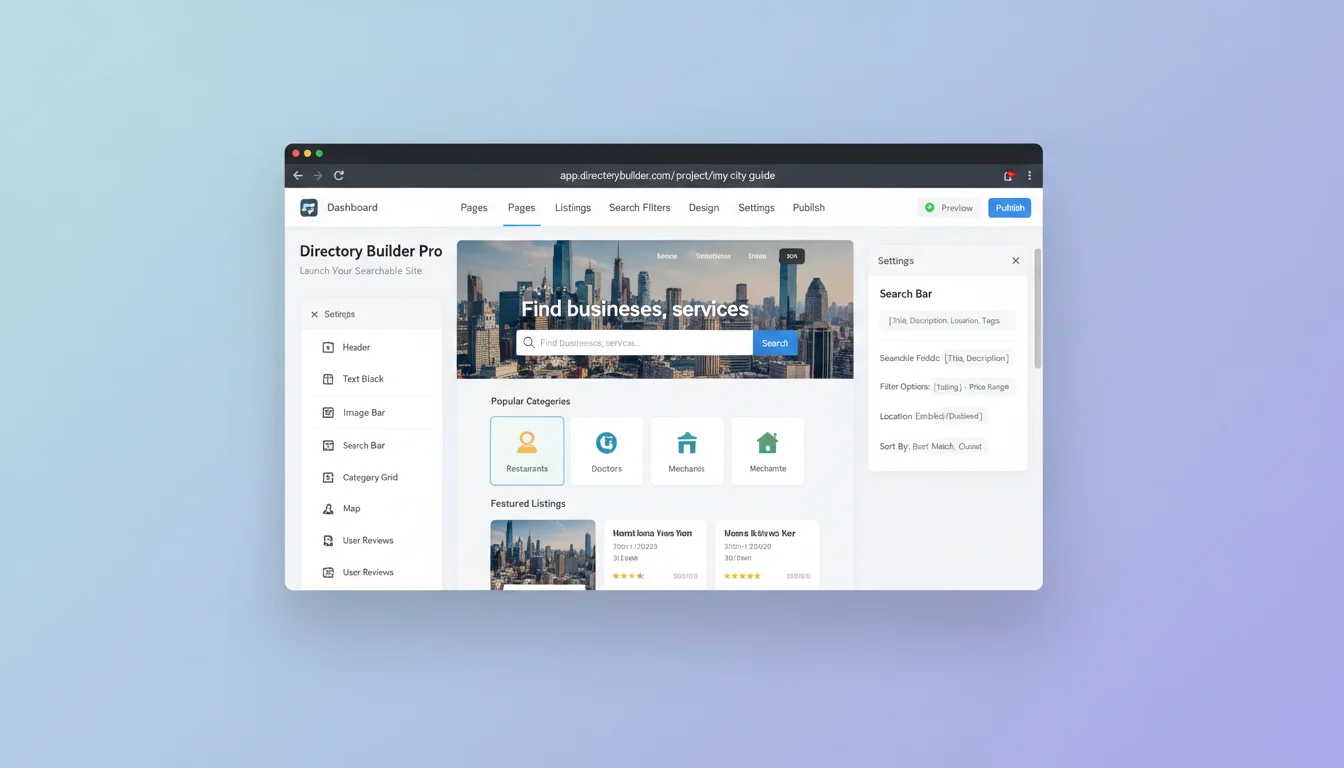
Niche directory websites are one of the most durable online business models. A well-maintained directory of remote-friendly restaurants, women-owned boutiques, indie coffee roasters, or verified freelancers in a specific field provides real value to a specific audience. They keep coming back. The problem has always been the build. A functional directory historically required a backend database, a search layer, individual listing pages, and either a developer or a complex no-code setup that itself took weeks to configure.
That barrier is gone. A directory website is a specific and well-understood type of site: structured data with search, categories, listing pages, and a submission form. AI builders can generate all of that from a prompt. The key is knowing what to include in the prompt and understanding the failure modes that trip up most AI-generated directories before they go live.
What a Directory Website Actually Is Under the Hood
Most people who want to build a directory have a vague sense of what it should look like without a clear picture of the structural components. Getting specific about the structure is what makes a good prompt possible.
AI No-Code Website Builder
Build it with CodePup AI. Ready in 30 minutes.
A directory website is made of five components. A homepage with a search bar and featured or recent listings. Category pages that filter listings by type. Individual listing detail pages, one per entry, with the full information about that listing. A submission form where new listings can apply to be added. And a basic admin view where you can approve or reject submissions and manage existing listings. Every popular directory you've ever used is a variation of those five components.
Before you write a single prompt, know what fields each listing will have. A restaurant listing needs name, cuisine type, neighbourhood, price range, website, and a short description. A freelancer listing needs name, discipline, specialisation, location, portfolio link, and hourly rate. The fields determine your search filters, your listing pages, your submission form. Get this wrong and everything else breaks.
Why Directory Platforms Feel Necessary But Aren't
Tools like Directify ($29/month) and Softr with an Airtable backend have made directory building accessible. But they come with tradeoffs worth understanding before you commit.
You're paying for their data structure. Directify gives you a pre-built listing schema, category system, and submission form. But that schema is theirs. If you want fields their template doesn't support, you work around limitations. If you stop paying, your directory and all its listings disappear.
The directory platform lock-in is particularly painful because directory sites take months to build real value. You seed the listings, get submissions coming in, build a small audience. After six months of that work, the last thing you want is a platform dependency that makes it difficult or impossible to move.
The Five Things Your Directory Needs Before Launch
- Working search: the search bar must return relevant results. This sounds obvious but it's the most common failure point in AI-generated directories. The search form renders correctly but the query logic is broken or missing.
- Category pages: each major category should have its own URL (yoursite.com/categories/coffee-roasters) so they can be indexed by Google. These are often your highest-traffic entry points.
- Individual listing pages with unique URLs: each listing needs its own URL (yoursite.com/listings/blue-bottle-coffee) for SEO. Listings only accessible through search results can't be indexed.
- A submission form that stores data: new listing submissions need to actually write to a database or send a notification. Not just display a success message that goes nowhere.
- An admin view: you need a way to review submissions, approve listings, edit entries, and remove spam without touching the code.
These five things are the difference between a directory and a page that looks like a directory. Every one of them needs to be functional before you invite anyone to use the site.
How to Write a Directory Prompt That Generates the Real Thing
The prompt needs to specify the structure, not just the concept. Include: the niche and the audience it serves, the listing fields, the categories, how new listings are submitted, whether listings are free or paid, and how you'll manage the directory as admin.
Sample prompt: Build a directory website called Brew Map, a searchable directory of independent specialty coffee roasters in the UK. Each listing should include: roaster name, city, region, roasting style (light/medium/dark), subscription availability (yes/no), retail locations, website URL, and a short description (2-3 sentences). Categories: by region (London, Manchester, Bristol, Edinburgh) and by roasting style. Homepage with a search bar and featured roasters section. Individual listing pages at /roasters/[slug]. Submission form for roasters to apply, collecting all listing fields plus a contact email for verification. Admin view to approve/reject submissions and edit listings. Design: clean, minimal, warm cream background with brown accents.
The Failure Modes Specific to AI-Generated Directories
Directories are more structurally complex than standard websites. Three failure modes are particularly common and particularly damaging.
Search that doesn't search. The search bar renders, the user types a query, hits enter, and an empty results page appears. Usually means the search query isn't wired to the data layer. The page was generated with the visual component but the underlying logic is incomplete. Test search with several real queries before launch.
Submission forms that don't store data. A potential listing fills out the form, clicks submit, sees a success message. The submission goes nowhere. No email to you, no database entry, no admin notification. The form was generated correctly as a UI element but not connected to any backend storage. This can run silently for weeks before you notice no submissions have come in.
Listing pages that return 404 errors on direct URL. If listing pages only render in response to a search query and don't exist at permanent URLs, they can't be indexed by Google and they break when shared directly. Every listing needs a stable, permanent URL that resolves correctly whether the visitor arrives from search, from a shared link, or by typing it directly.
Growing the Directory After Launch
The first 20 to 30 listings need to be added manually before you open submissions. A directory with three entries doesn't look like a real resource. Seed it with real, high-quality listings in every category first. Then open the submission form and do outreach. Email the businesses in your niche. Post in relevant communities. Tell them there's a free place to get listed.
Directory SEO compounds over time. Each listing page is a new indexed URL. Each category page is a potential search entry point. A directory with 200 listings has 200 potential Google entry points in addition to the category pages and homepage. That's how directories build organic traffic over months and years.
With CodePup, your directory is built from your prompt, with all five core components, search, category pages, listing URLs, submission form, and admin view, included and tested before delivery. You get a directory that works from day one.
Ready to build this?
Start with a template built for your use case.
AI No-Code Website Builder
Build any website without writing a single line of code. CodePup AI generates production-ready websites from your prompt — complete with Stripe payments, user authentication, analytics, and event-driven emails, all tested and launch-ready.
Start building →Landing Page Builder
Create a conversion-optimised landing page in minutes. Describe your product and CodePup AI builds a complete page — hero, features, pricing, testimonials, and CTA — fully tested and ready to publish.
Start building →AI Online Store Builder
Launch your online store in minutes. CodePup AI builds your product catalog, shopping cart, Stripe checkout, and customer account portal — fully tested and ready to sell from day one.
Start building →More from the blog
Ready to build with CodePup AI?
Generate a complete, tested website or app from a single prompt.
Start Building